LocalGen runs on your iPhone, without internet
Local AI, built for iPhone
LocalGen Offline AI Image Generator for iPhone & iPad
Create AI images and edits directly on your device. LocalGen runs Stable Diffusion locally, so your prompts and generated images stay on your iPhone or iPad—even when you are offline after setup.
- 40,000+ installs
- Free download
- iOS & iPadOS 18+
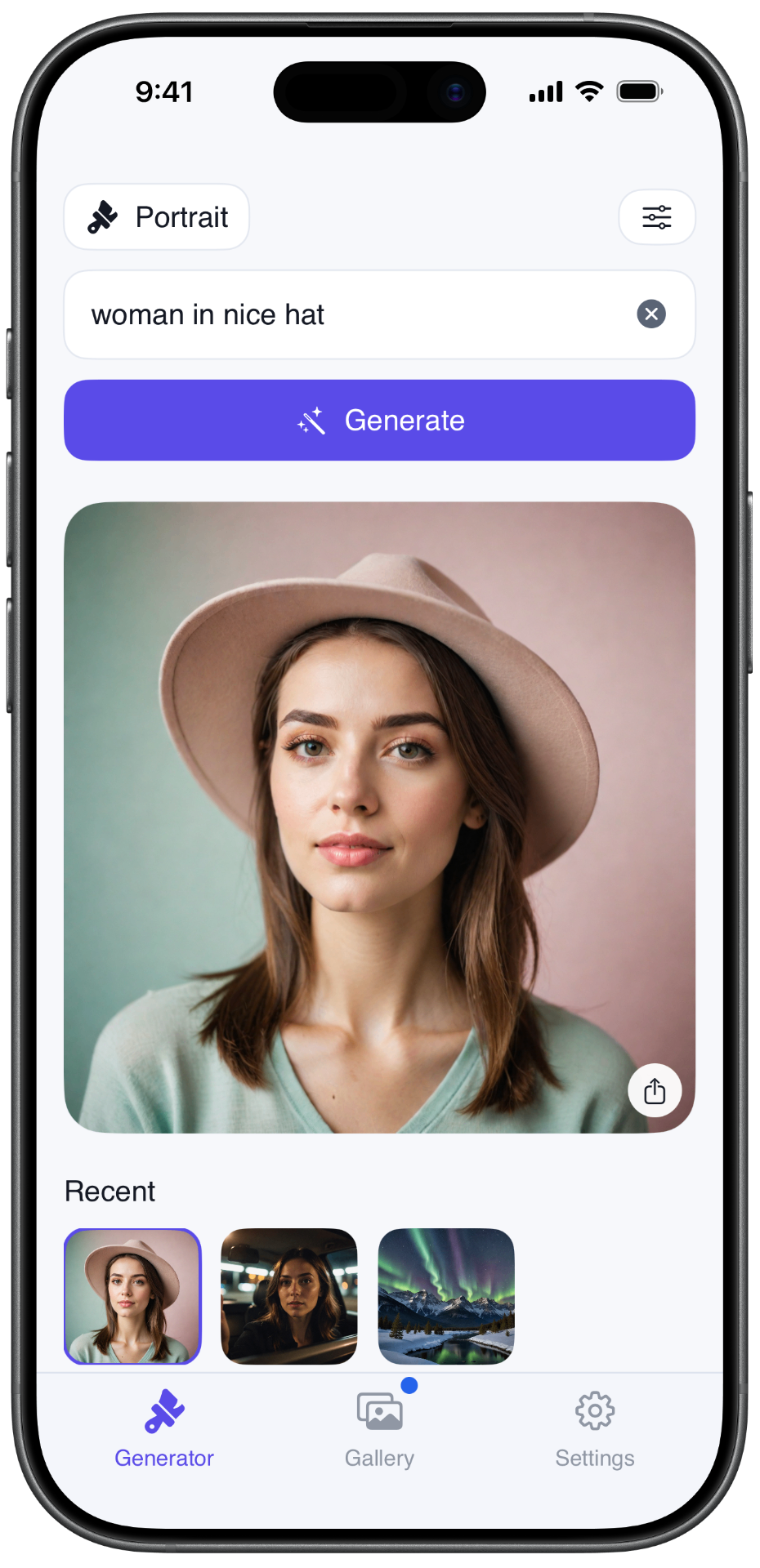
There is no limits on credits or tokens used. You can generate as much as you want.
Open the app and create without signing up for the generation workflow.
Keep control over your generations. LocalGen will not limit you unless you specifically ask for that

LocalGen: AI Art Playground
Offline Image Generator
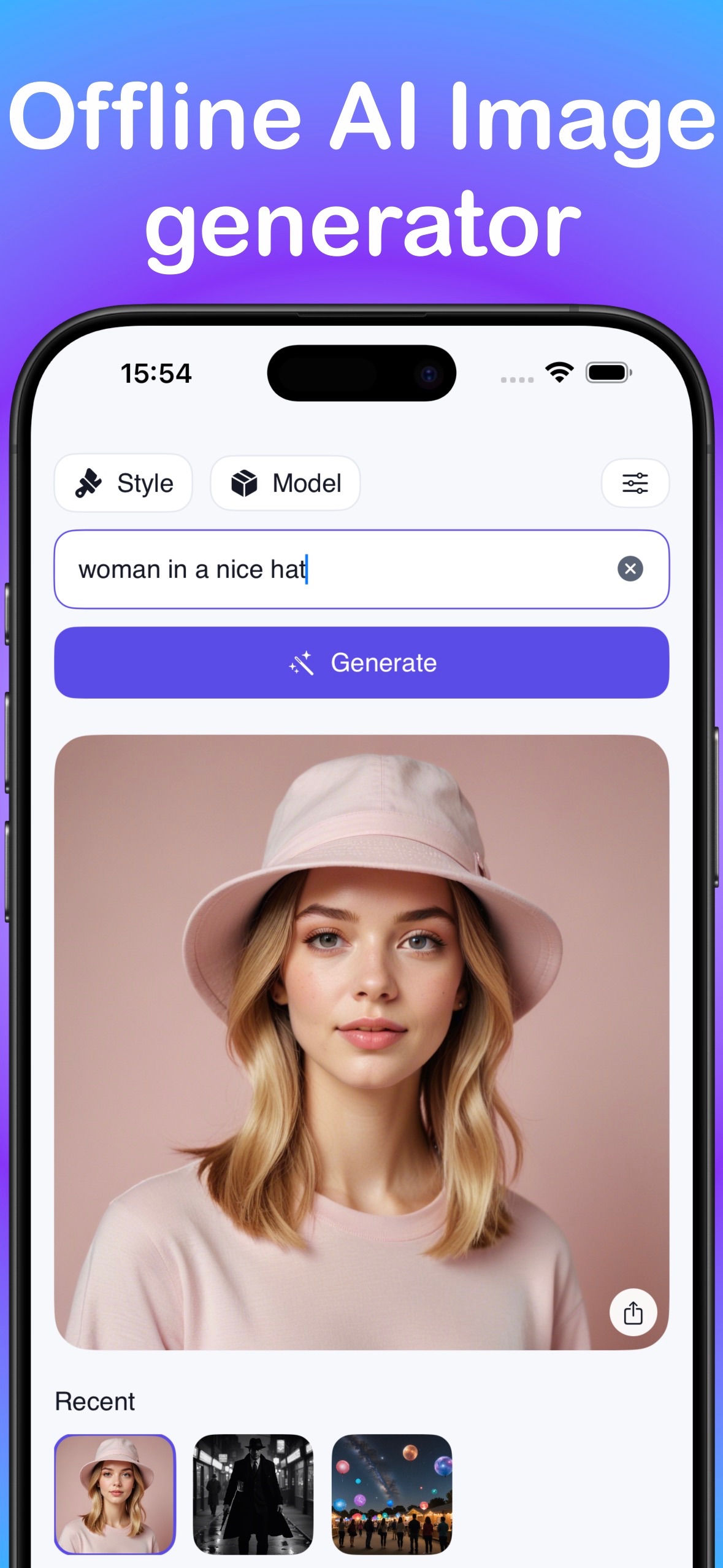
A dedicated local AI image generator for iPhone and iPad. Describe the result, choose an available style or model, generate on-device, then save to Photos or share.

Works oniPhone & iPad
RequiresiOS / iPadOS 18+
RecommendedA14-class / iPhone 12 or newer
App Store size2.8 GB + model storage
Creative contentStays local in on-device mode
Local AI image generation
The creative loop stays on your device.
LocalGen moves the creative loop onto your phone: prompt, generate, review and repeat. That changes privacy, connectivity and the economics of experimentation.
Your creative content stays close
When using on-device generation, prompts, source images and generated images are processed locally. You decide when to save, sync or share.
Create where the connection cannot
Prepare the app and model first, then generate on a flight, while travelling or anywhere connectivity is unreliable.
Iterate without a token meter
Change the prompt, try another available style and generate again without buying a per-image credit or joining a server queue.
Real App Store screenshots
A real AI image generator app, right on iPhone.
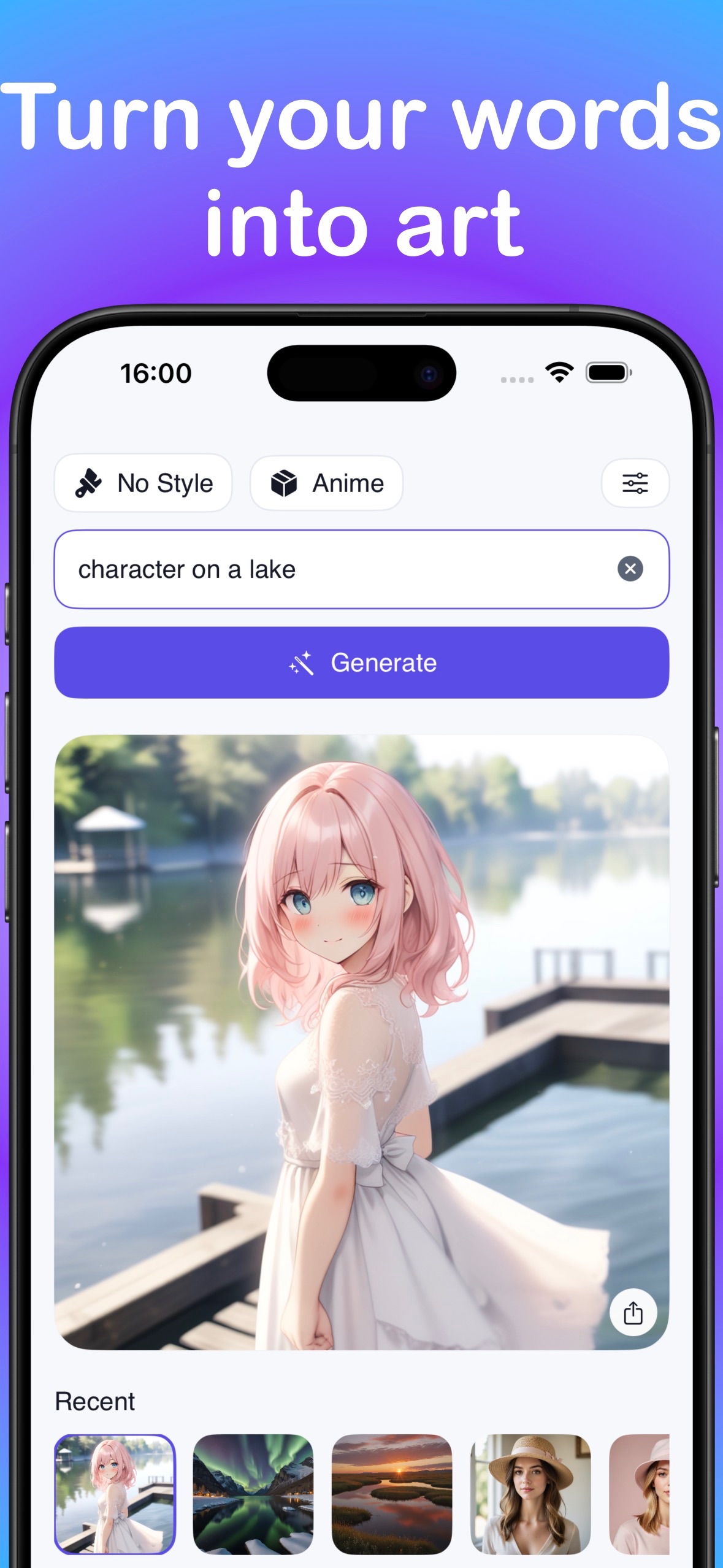
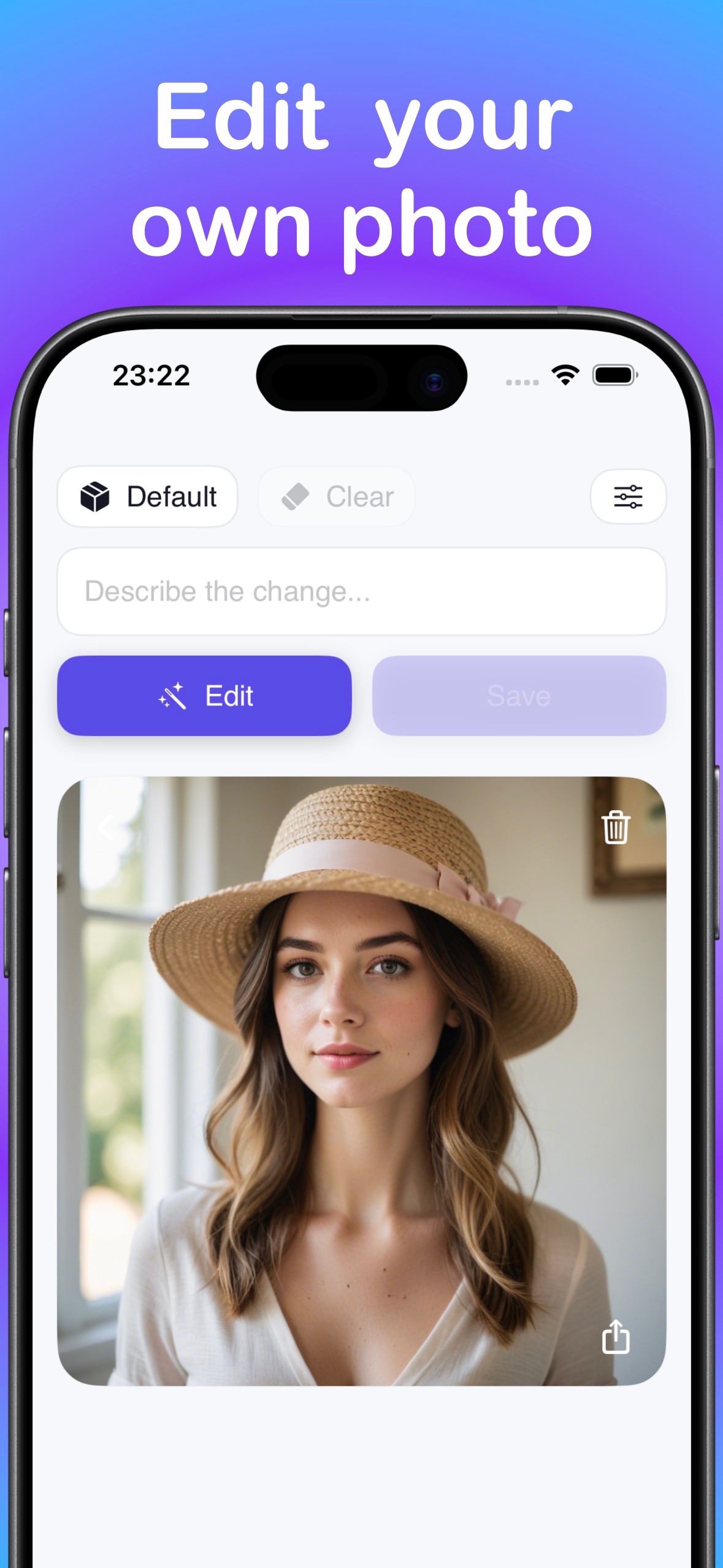
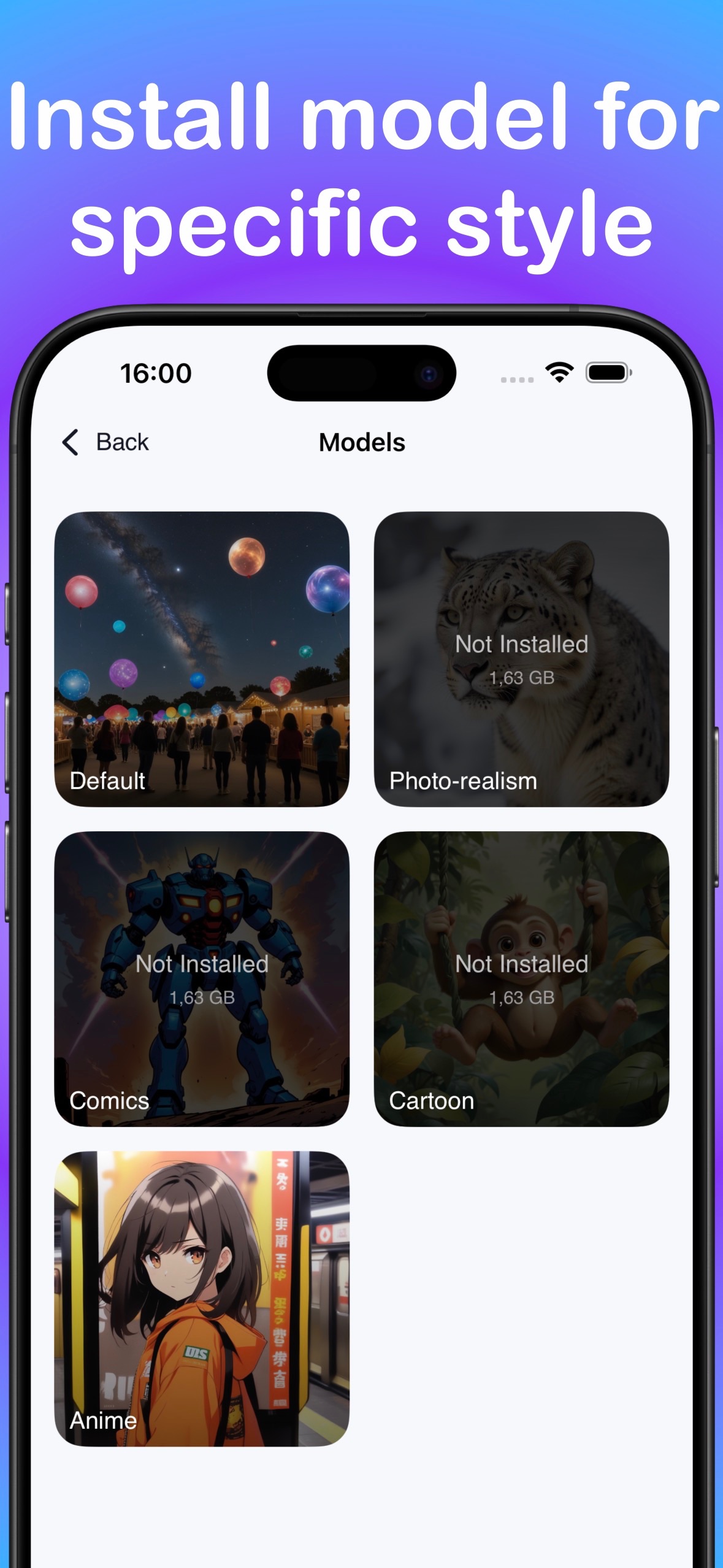
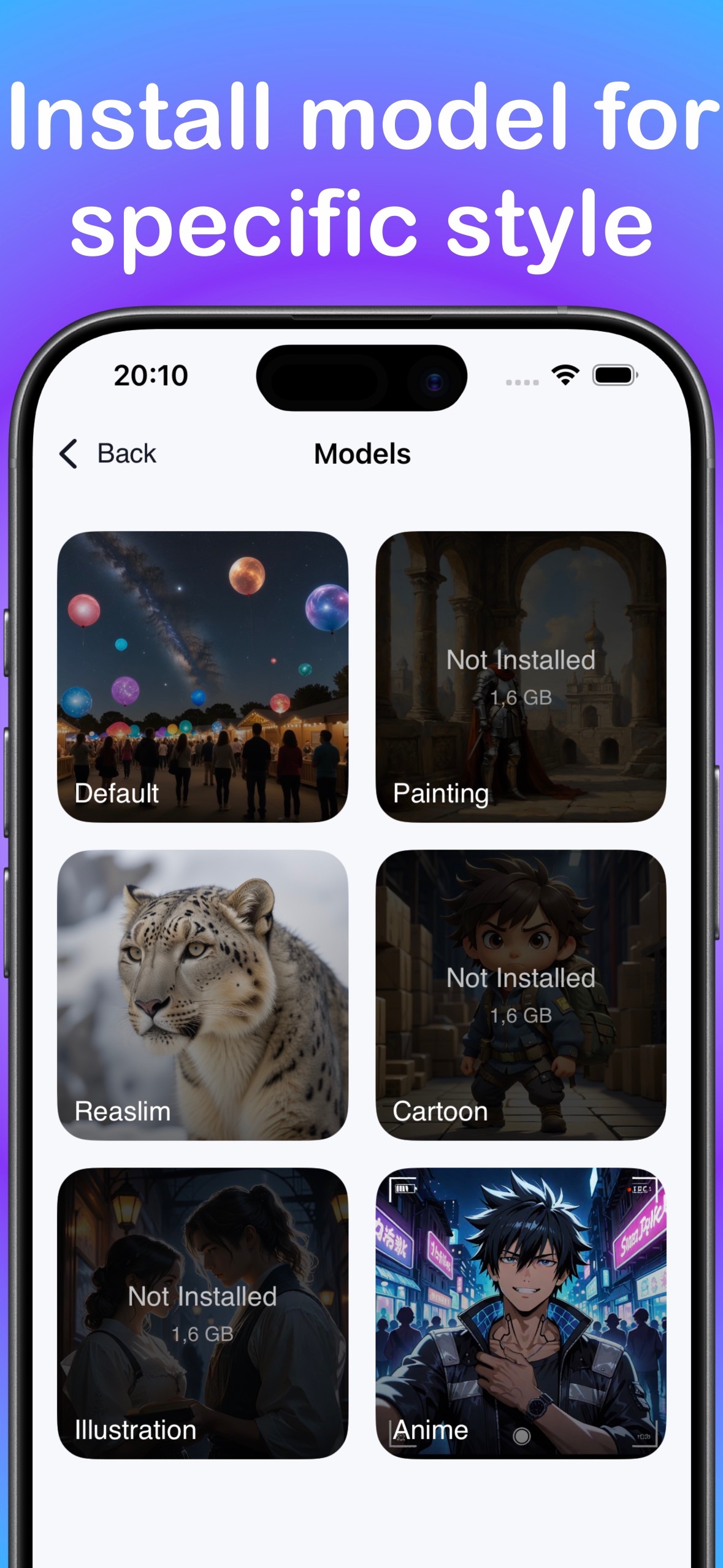
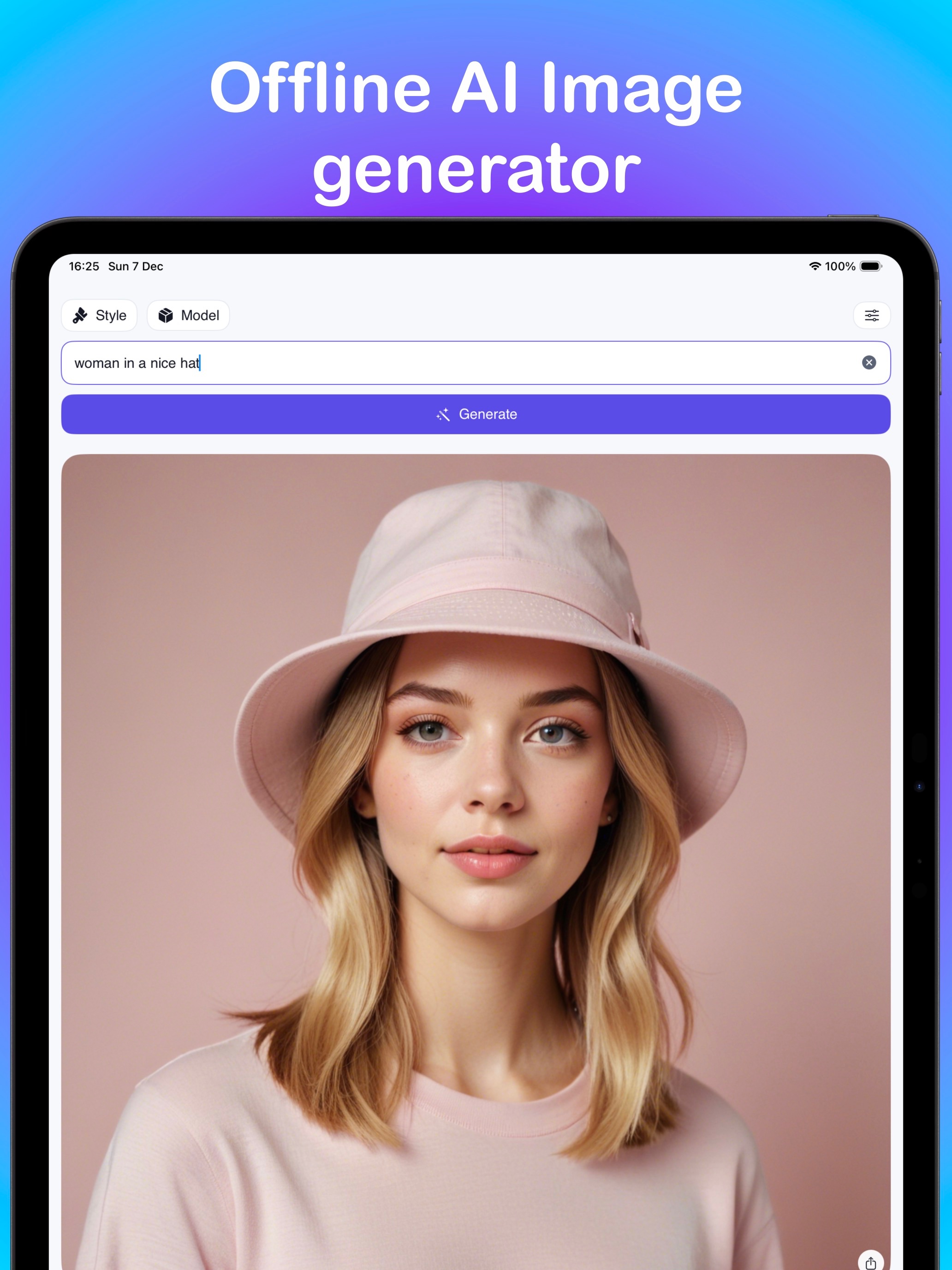
Write a prompt, choose a model and generate. LocalGen currently shows text-to-image, AI image editing and style-specific model downloads.
How it works
Turn text into images locally.
Download while connected
Install LocalGen and leave enough free storage for the on-device model you want to use.
Write a visual prompt
Name the subject, setting, style, composition, lighting and mood you want to see.
Choose a model and generate
Select an available style or model, then let supported Apple hardware render the image locally.
Refine, save and share
Change one part of the prompt, generate again, and save the best result to Photos or the Share Sheet.
One app, many starting points
What will you make first?
Use LocalGen for quick visual exploration, personal art and creator workflows that benefit from private, repeated iteration.
Practical LocalGen guides
Search less. Make the thing.
Start with the highest-intent local, offline, privacy and Stable Diffusion workflows, then explore specific creative use cases.
Core guide
Use an offline AI image generator
Prepare LocalGen once, then generate on iPhone without internet.
Read guide →PrivacyChoose a private AI image generator
Understand what stays on-device and when content can leave.
Read guide →Technical guideRun Stable Diffusion on iPhone and iPad
Install a model and use a local Stable Diffusion workflow without a computer.
Read guide →BeginnerTurn a written idea into AI art
A first prompt, model choice and refinement workflow.
Read guide →AnimeCreate anime images from text on iPhone
Build a stronger anime prompt and iterate locally.
Read guide →WallpaperMake a custom AI wallpaper for iPhone
Prompt for a phone screen, generate, crop and apply.
Read guide →AI editEdit a photo with on-device AI
Use the current edit workflow without inventing cloud-only tools.
Read guide →Product benefitGenerate without per-image credits
What no tokens or daily generation limit means—and what it does not.
Read guide →ComparisonLocalGen vs Apple Image Playground
Choose the iPhone image workflow that fits your goal.
Read guide →PromptingWrite better AI image prompts
A reusable subject-to-mood formula with examples.
Read guide →CompatibilityCan your iPhone or iPad run LocalGen?
OS, recommended hardware, storage and the live device check.
Read guide →FAQ
Specific answers before you download.
No vague promises: each answer links to the guide with the setup, tradeoffs and current LocalGen steps.
What is a local AI image generator?
It runs the image model on your device instead of sending each creative job to a cloud renderer. LocalGen uses supported Stable Diffusion workflows on iPhone and iPad and works offline after the app and model are downloaded.
Learn More →Can I generate AI images on my iPhone without internet?
Yes. Download LocalGen and the required model first; after setup, the on-device generation workflow works offline.
Learn More →Do my prompts or generated images leave my iPhone?
When you use on-device generation, creative content is processed locally. It can leave when you choose to share, sync, attach it to support or use an optional remote feature.
Learn More →Can Stable Diffusion run locally on an iPhone or iPad?
Yes. LocalGen uses on-device Stable Diffusion models on supported Apple hardware, without requiring a desktop workflow.
Learn More →Does LocalGen use credits, tokens or daily generation limits?
The listing says no tokens and no daily generation limits on supported hardware. LocalGen is free to download with optional Pro purchases, so not every model or feature is necessarily free.
Learn More →Do I need an account to generate AI art?
No account is required for the LocalGen generation workflow described in the public listing.
Learn More →Is LocalGen an alternative to Apple Image Playground?
It can be. LocalGen is a dedicated Stable Diffusion app with prompt-based creation, downloadable style models and offline on-device generation after setup.
Learn More →Which iPhone and iPad models support LocalGen?
The listing requires iOS or iPadOS 18. Apple’s installation list and the developer’s A14/iPhone 12-or-newer performance recommendation differ, so check the live App Store on the target device.
Learn More →Can LocalGen create anime art from text?
Yes. Anime is a current model choice shown in LocalGen’s screenshots and version notes.
Learn More →How do I create an AI wallpaper on iPhone?
Prompt for a vertical composition, generate and inspect the edges, save the image to Photos, then crop and apply it using iOS wallpaper controls.
Learn More →Can I edit a photo with on-device AI?
LocalGen’s current listing shows AI Image Edit. Confirm that the edit is using on-device mode before working with sensitive material.
Learn More →How do I write a better AI image prompt?
Start with subject + setting + style + composition + lighting + mood, then change one variable per generation.
Learn More →Why does an offline AI image generator need so much storage?
The app and models that would otherwise run on a server must live on your device. The KZ listing currently shows a 2.8 GB app download, with model storage on top.
Learn More →Put a local AI image generator in your pocket.
Download LocalGen, install a model while connected, then create on-device and take your creative playground offline.